WordPress MCP Adapter: what it does on its own, and what Widejoin adds
What is the WordPress MCP Adapter?
The WordPress MCP Adapter is the official plugin that turns Abilities API abilities into MCP tools; Widejoin runs on Adapter 0.7.x and adds typed tools for builders, WooCommerce and SEO plugins, with change records, free to start and Pro from $99 a year. On its own the Adapter serves only the abilities other plugins expose. Widejoin needs Adapter 0.7.x (0.7.1 is current on WordPress.org, read 31 October 2026).
Try it free: 14 days of Pro on up to 10 sites. No card. Buy Pro for $99 a year.
What does the Adapter serve on a fresh site?
Its default server, at /wp-json/mcp/mcp-adapter-default-server, and whichever abilities on the site are marked public. WordPress abilities are private by default. A plugin opts one in by setting meta.public (or meta.mcp.public) to true.
The default server lists three tools whatever the site holds: one discovers the public abilities, one returns an ability's full schema, and one runs it. The client calls those three in turn, so the tool list stays short however many abilities a site has. A plugin can also create its own server, where each ability it names is a tool of its own.
A client connects over HTTP with a WordPress user and an Application Password, or over STDIO by running WP-CLI on the machine that holds the site.
Source: the Adapter's README and its default server guide on GitHub, read 31 October 2026. We did not count which abilities WordPress core itself marks public.
How do I install the MCP Adapter?
- Check the site. WordPress 6.9 or later. The Adapter's WordPress.org listing asks for PHP 7.4 or later, and Widejoin needs PHP 8.2 to 8.4.
- Install the plugin. In Plugins > Add New, search for "MCP Adapter" and install the plugin by WordPress.org. With WP-CLI, run
wp plugin install mcp-adapter --activate. - Check the version. The Plugins screen shows the Adapter's version. Widejoin works with 0.7.x and serves no tools on 0.8.0 or later until an update supports it.
- Activate it and connect. Activate the Adapter. Point a client at
/wp-json/mcp/mcp-adapter-default-server, or install Widejoin and follow Connect a site.
The docs cover the Widejoin side of the install.
Which plugins work through the Adapter?
Any plugin that registers abilities through the Abilities API. Three we read or run:
- WooCommerce. It registers product and order abilities and does not bundle the Adapter. Its MCP guide says to install the Adapter plugin and calls the feature a developer preview (developer.woocommerce.com, read 31 October 2026).
- Elementor. Elementor 4.3.5 carries its own copy of the Adapter, version 0.6.1, in its vendor folder (the WordPress.org ZIP, read 31 October 2026).
- Widejoin. It registers its tools through the Adapter plugin and carries no copy of its own.
Other plugins register abilities too. We have not checked each one.
What does Widejoin add on top?
- Tools for 8 page builders and the SEO, forms, fields, LMS and shop plugins next to them, each tested on our lab. The integrations page lists every one with its tested version.
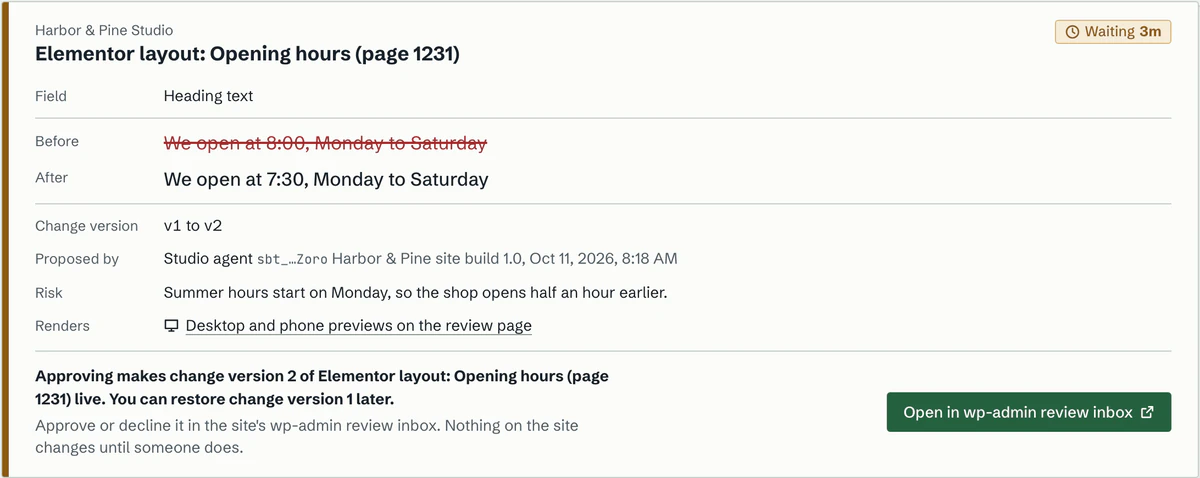
- A record of each change with its before state. Most changes can be restored from wp-admin.
- Review first, set per site. An administrator can have a person approve every change before it goes live.
- The agent's own WordPress user. Changes run as a user you choose, so the agent can never do more than that user may.
- A hosted endpoint. Connect a client to
https://widejoin.com/mcpwith a console token, or straight to your site (Connect a site).
Which Adapter versions work with Widejoin?
Widejoin works with Adapter 0.7.x. On 0.8.0 or later it serves no tools and shows a notice in wp-admin until a Widejoin update supports that version.
WordPress.org lists MCP Adapter 0.7.1, with 60,000 active installs and WordPress 6.9 and PHP 7.4 as its minimums (read 31 October 2026).
If another plugin loads an older copy of the Adapter, such as the 0.6.1 copy inside Elementor 4.3.5, Widejoin keeps its MCP server off and its notice names that plugin. Installing and activating the Adapter plugin, version 0.7.x, makes that copy load in place of the bundled one. We have not tested other plugins that bundle the Adapter.
How do the Adapter, Widejoin, WooCommerce MCP and Elementor MCP compare?
"Not stated" means the page we read did not say; "Not checked" means we did not look. The comparison of eleven WordPress MCP servers has more rows.
| Product | Maker | What it exposes | Adapter needed | Price | Source and date |
|---|---|---|---|---|---|
| MCP Adapter | WordPress.org, part of the AI Building Blocks for WordPress initiative | The abilities other plugins mark public, through three discovery tools or a plugin's own server, over HTTP or STDIO | It is the Adapter | Free, GPL-2.0-or-later | wordpress.org and GitHub, read 31 October 2026 |
| Widejoin | DistroCode LLC | Tools for 8 builders and the plugins next to them, each change recorded with its before state | Yes, 0.7.x | Free plugin; some builder writes are in the Pro add-on (Widejoin Pro pricing) | Our plugin code, read 31 October 2026 |
| WooCommerce MCP | WooCommerce | Product and order abilities, in developer preview | Yes; WooCommerce does not bundle it | Part of the free WooCommerce plugin; no separate price stated | developer.woocommerce.com, read 31 October 2026 |
| Elementor MCP | Elementor | Elementor building tools; Pro plans expose more of them | Elementor 4.3.5 carries its own copy, 0.6.1 | Connecting is free; Pro elements need a Pro plan | elementor.com/mcp and the Elementor 4.3.5 ZIP on WordPress.org, read 31 October 2026 |
Prices change, so check each vendor's page before you buy.
Questions
Is the MCP Adapter free?
Yes. It is a free plugin on WordPress.org, licensed GPL-2.0-or-later (read 31 October 2026). Your AI client may bill you separately.
Where do I download the MCP Adapter?
From its WordPress.org page, or in wp-admin under Plugins > Add New. The source is on GitHub. With WP-CLI, wp plugin install mcp-adapter --activate installs and activates it.
Can I use it on a live site, or only a local one?
Both. Over HTTP, a client connects to the live site's /wp-json/mcp/mcp-adapter-default-server with a WordPress user and an Application Password. Over STDIO, the client runs WP-CLI on the machine that holds the site, which suits a local copy. Try it on a staging copy first.
What is mcp-wordpress-remote?
Automattic's proxy that turns STDIO into HTTP, published on npm as @automattic/mcp-wordpress-remote. A client that can only start a local command runs it, and it forwards each request to a WordPress MCP endpoint with an Application Password, a JWT token or OAuth. Its README says a client that speaks HTTP and can send the site's login does not need it (GitHub, read 31 October 2026).
Does Elementor's MCP use the Adapter?
Elementor ships its own copy. Elementor 4.3.5 carries the Adapter 0.6.1 in its vendor folder (the WordPress.org ZIP, read 31 October 2026). Elementor's help article on connecting an AI tool through MCP does not mention the Adapter. When Widejoin meets that older copy, it keeps its server off until the Adapter plugin 0.7.x is active.
Point your agent at a client site today.
14 days of Pro on up to 10 sites. No card. Connect your client and ask for a page in the builder you already use.