Claude Code and WordPress: connect Widejoin with one claude mcp add command
Does Claude Code work with WordPress through Widejoin?
Run one claude mcp add command with https://widejoin.com/mcp and a console token, and Claude Code can read and edit your WordPress site through Widejoin. A scripted client passed with that command on 14 October 2026; the Claude Code app has not run against this URL yet. Our end to end run on Claude Code 2.1.296 used the plugin route on our lab: a change, its approval and a restore.
read -rs WIDEJOIN_TOKEN
claude mcp add --scope user \
  --transport http widejoin \
  https://widejoin.com/mcp \
  --header \
  "Authorization: Bearer $WIDEJOIN_TOKEN"
On this page
How do I connect Claude Code to my WordPress site?
With the console, it takes a token and one command.
Connect the site and create a token. Add your site under Sites in the Widejoin console, then create a token for Claude Code on Settings, Tokens. It is shown once. A site token reaches one site, and on paid plans the account connection there reaches every site.
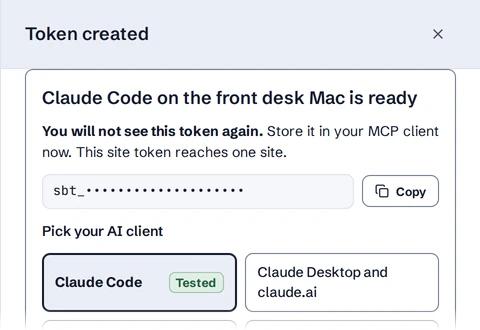
Illustration from our lab capture: a new token on Settings, Tokens, shown once. The token is hidden and the panel's lower rows are faded out. Run the two commands below in a terminal. The first reads the token without showing it, so it stays out of your shell history. Paste the token when it waits.
read -rs WIDEJOIN_TOKEN
claude mcp add --scope user \
  --transport http widejoin \
  https://widejoin.com/mcp \
  --header \
  "Authorization: Bearer $WIDEJOIN_TOKEN"
Check it. Run
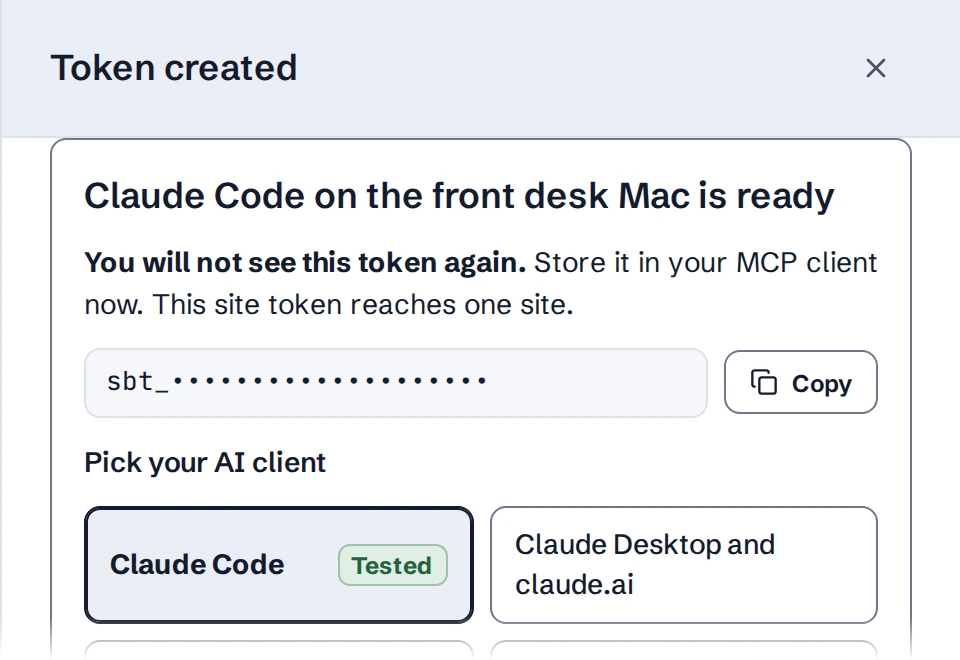
claude mcp list, or/mcpinside Claude Code. The server shows aswidejoin.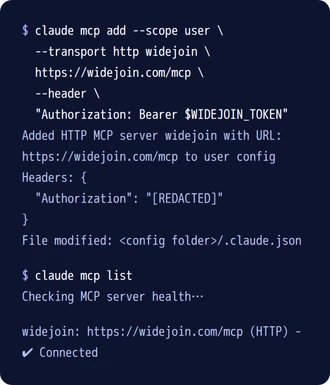
Illustration, set by us from a real Claude Code 2.1.322 run on our lab: widejoin reports as connected. The lab's address is replaced with widejoin.com and the add command is split over lines.
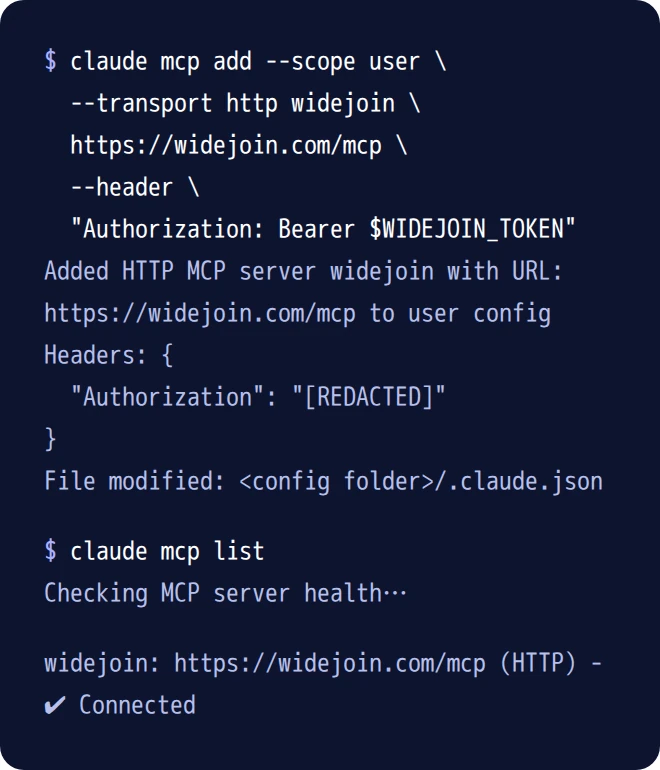
--scope user makes Widejoin available in every folder. Without it, Claude Code adds the server to the current project folder only.
The plugin route, with no console account. Point Claude Code at the plugin on your own site instead. Install the free plugin and MCP Adapter 0.7.x. Make a WordPress user for the agent and a password limited to Widejoin. Then put the site's own address in SITE and add it:
SITE=https://your-site.example
claude mcp add --transport http widejoin \
  "$SITE/wp-json/widejoin/v1/mcp" \
  --header \
  "Authorization: Basic <credential>"
<credential> is the user name and the password joined by a colon, then base64 encoded. The command holds the credential and most shells save each line you run, so delete that line from your shell history afterwards. Create connection on the Widejoin screen in wp-admin makes the user and password and shows this line with a Copy button. The connect guide's direct route names each button. The install page covers the plugin upload, and troubleshooting covers a connection that fails.
Can Claude Code work on a live site, or only a local one?
Both. A live site connects either way: through the console with https://widejoin.com/mcp, or straight to the plugin. The console reaches your site over the internet, so a site that runs only on your computer, such as one in WordPress Studio, has to use the plugin route, with Claude Code on the same computer. The plugin route needs HTTPS there too. Try new requests on a staging copy before a live site, because a change applies as soon as the agent's WordPress role allows it.
What should I ask Claude Code first?
Start with three read-only requests. They change nothing, and they tell you the connection, the user's role and the site are what you expect.
- "Use the site-info tool and tell me the WordPress version, the theme and which page builder this site uses." This is the call our connection test makes.
- "List the ten most recent draft pages with the list-content tool."
- "Run the maintenance-inventory tool and list the plugins that have an update waiting."
Then ask for one small change, such as a new draft page, and open the change in wp-admin to see what was recorded.
What does Widejoin do that Claude Code's own file tools do not?
Claude Code's file tools edit files in a folder on your computer. Widejoin works inside WordPress. Posts, pages, media, builder layouts, SEO fields, forms and WooCommerce products change through WordPress itself, as the agent's own user. Each change is recorded with its before state, so most can be restored from wp-admin. Widejoin does not read or write arbitrary files. Theme and plugin code stays in Claude Code's editor.
What did we test, and what did we not?
| Check | Result |
|---|---|
| Claude Code 2.1.296, end to end through the plugin route | A change, its approval with Review first on, and a restore, on our lab, 10 October 2026 |
| A test client with the console's command, the app not run | Passed 14 October 2026 on our lab console: initialize, tools/list and one read-only call |
| First connect screen to a working tools/list | Under 120 seconds from sign-in, in our browser test |
Claude Code against https://widejoin.com/mcp |
Not run yet |
| Claude Code on a newer version | Not rerun since 2.1.296 |
| Multisite networks | Not supported; First connect stops with a message |
Claude Code warns when one tool reply passes 10,000 tokens and cuts it at 25,000 unless you raise MAX_MCP_OUTPUT_TOKENS, per Anthropic's MCP docs (read 11 October 2026). Large page reads from builders such as Elementor can reach that.
Which builders can Claude Code work with?
Every builder Widejoin supports is open to Claude Code, because the tools are the same for every client. Each builder page says what we tested and the version:
- Elementor, including Elementor Pro theme templates
- Gutenberg, block drafts that reopen as valid blocks
- Bricks, with Divi listed on the integrations hub
- WooCommerce product prices, sales and stock
The integrations hub lists all 23 tested integrations. If you also use Cursor, its setup is on the Cursor page. Claude Desktop's config file setup is on the Claude Desktop and WordPress page. To see a whole site built this way, read how an AI agent built a WordPress site from an empty theme. The WordPress MCP comparison sets Widejoin next to the other servers.
Questions
Is there a Claude Code plugin for WordPress?
Yes, from Automattic. Its Build with WordPress plugin for Claude Code is listed in Anthropic's plugin directory as made by WordPress.com. It turns a description into a block theme on a local WordPress Studio site, ready to push to WordPress.com or Pressable (its GitHub readme and claude.com/plugins, read 31 October 2026). Widejoin is for a self-hosted site that already runs: Claude Code changes its content and layouts through WordPress, with each change recorded. The free WordPress MCP plugin is the part on your site, and Widejoin pricing shows what Pro adds.
Can Claude Code edit Elementor pages?
Yes, through Widejoin's Elementor tools, which work next to Elementor's own MCP. The Elementor page lists the tools and the version we tested.
Can Claude Code build a block theme?
Yes, in its own editor, since a block theme is files: theme.json, templates and patterns. Widejoin does not write theme files. It is for the site's content and layouts once the theme is active.
What if Claude Code says a tool answer is too large?
Claude Code warns at 10,000 tokens and cuts a tool reply at 25,000. Set MAX_MCP_OUTPUT_TOKENS higher before you start Claude Code, or ask for a smaller read, such as one page or one section at a time.
Why does Claude Code not see any tools?
Three causes cover most cases we have seen, and each one shows its own sign.
- wp-admin says "Widejoin needs the MCP Adapter plugin". The Adapter is missing, switched off, older than 0.6.2 (from Widejoin 0.7.9; before that, older than 0.7.0) or at 0.8.0 and later. Install and activate MCP Adapter 0.7.x from WordPress.org.
- Calls fail with HTTP 403 and "Widejoin only accepts a Widejoin Application Password". The password was made in the user's profile. Make one with Create Widejoin password, or tick Limited to Widejoin next to it.
- Only a few update tools appear. WordPress is older than 6.9. Update it, then run
/mcpagain.
The connect guide's error table lists each fix, along with the token and reload errors.
Point your agent at a client site today.
14 days of Pro on up to 10 sites. No card. Connect your client and ask for a page in the builder you already use.