What Widejoin can reach on your site, and what it cannot
Widejoin's agent works as its own WordPress user with the rights you give it, every change is recorded, and widejoin.com/mcp passes calls to your site without keeping your page content. Its changes apply at once by default, and most can be restored, though a plugin database upgrade or mail already sent cannot. Review first is a per-site option that holds changes for a person to approve in wp-admin. Widejoin pricing lists the plans and the free 14 day Pro trial.
Free to start. No credit card.
On this page
- What limits what the agent can do?
- What do these limits not cover yet?
- Has anyone audited Widejoin?
- How is one customer kept apart from another?
- What does the gateway refuse?
- Where does the gateway run today?
- What can Widejoin never do?
- How do you handle my site's password?
- How do I report a security problem?
- Questions
What limits what the agent can do?
The WordPress user it connects as. In Direct, a change applies only when that user could make it in wp-admin: every check an approval runs is run against the agent. A change it may not make waits for a person whose role may, and is closed when nobody on the site may.
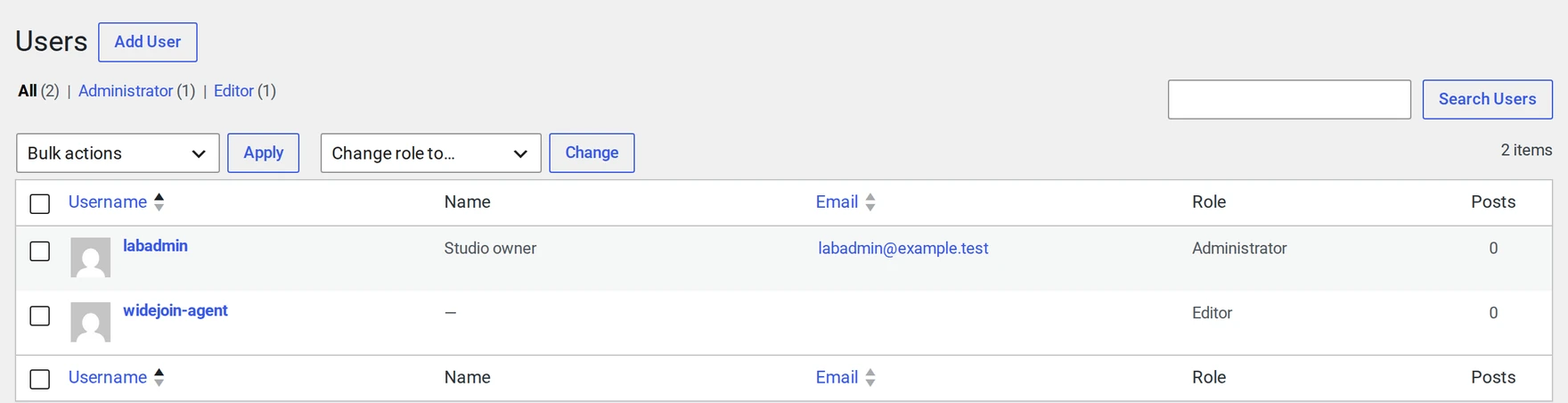
On top of that:
- The ask-before list. Deletes, plugin, theme and core installs and updates, users and roles, form and site mail, payment settings, other WordPress options, restoring many changes at once, and publishing or moving a theme-builder template wait for a person until an administrator turns an item off.
- Changes that always wait. A role grant that would let an account add code, change settings or promote users always waits, whatever the list says. So do update plans and other plugins' abilities that write. A core update waits while plugin, theme and core changes are on the list, and otherwise runs as a background job, as a site import does.
- Code. An agent made by First connect may not add scripts, custom CSS, PHP or shortcodes that run code. Only an administrator who may add code can allow it, from a signed-in wp-admin session, and each switch writes an audit row. A plain text, image or button edit in a page builder involves no code, so it applies at once when the option for plain builder edits is on. Anything that adds or changes code, attributes, dynamic data, conditions or loops still waits for or needs an administrator. An agent made by an earlier version keeps its role's capabilities, code included.
- The mode itself. Only an administrator changes it, from a signed-in wp-admin session with the form's nonce. A tool, an Application Password or another plugin's sign-in cannot, and a host can pin it in wp-config.php.
- Review first. Every change except new drafts and uploads waits for a person, and MCP tools cannot approve. A person approves with a valid nonce, and a draft changed after the review page loaded is refused.
What do these limits not cover yet?
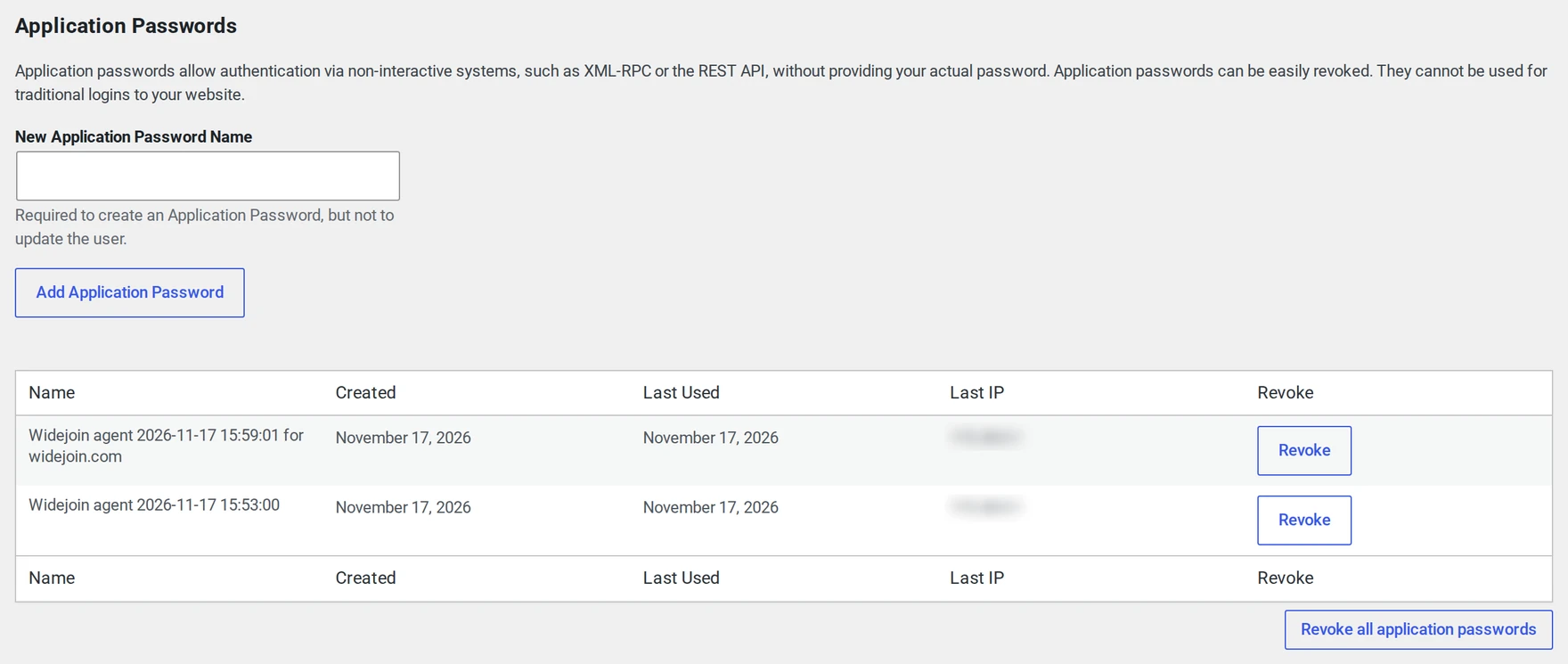
Calls made outside Widejoin. A Widejoin Application Password, created from the Widejoin page or marked Limited to Widejoin, works only on the Widejoin endpoint. WordPress's own REST API and XML-RPC refuse it. Any other Application Password on the same user keeps its normal reach, so give the agent its own user with the lowest role that does the job.
An agent can also be steered by text it reads, such as words on a page written to mislead it. In Direct the limit is then its user's capabilities and the ask-before list, so start with the Editor role, and keep Review first on sites where a person must see each change before it goes live.
That is why we ask for a dedicated user and suggest starting on a staging copy.
Has anyone audited Widejoin?
No. There is no third-party security audit or penetration test yet.
How is one customer kept apart from another?
The gateway checks site ownership on every call. On our lab, with two separate WordPress installs, each tenant listed only its own site, calls to the other site were refused, and each site's Application Passwords were rejected by the other install even with matching usernames.
We checked the test by breaking it on purpose. With the ownership check removed, the cross-tenant test fails.
What does the gateway refuse?
Missing authentication, untrusted origins, unknown sites and tools that are not on the list. By default it also limits each tenant to 120 calls a minute and 5,000 a day, and the plugin refuses requests over 2 MB.
Where does the gateway run today?
The MCP endpoint runs at https://widejoin.com/mcp; access needs a Widejoin console token. Anyone can create an account at https://widejoin.com/sign-up and make one on the Tokens tab of Settings. A client can also connect straight to the plugin on your site. An app that signs in with OAuth gets its token when you sign in to your Widejoin account and approve it. A production credential vault is not built yet.
What can Widejoin never do?
Do more than the WordPress user it connects as, run raw SQL, read or write arbitrary files, change or refund orders, take payments, read or change payment keys, or work on Multisite. Third-party abilities run only after an administrator classifies them.
How do you handle my site's password?
You create one Application Password per site for a dedicated user, and you can revoke it at any time in wp-admin. Revoking it stops our access at once. We never ask for your own login, or for hosting, SFTP or database access.
How do I report a security problem?
Email hello@widejoin.com with "security" in the subject. The same address is in our security.txt.
Related: install docs, privacy policy, FAQ, contact.
Questions
Can the agent skip the review step?
Through Widejoin tools, no. In Review first, MCP tools cannot approve, and the agent cannot turn Review first off: only an administrator changes the mode, from a signed-in wp-admin session. A Widejoin Application Password, created from the Widejoin page or marked Limited to Widejoin, works only on the Widejoin endpoint. WordPress's own REST API and XML-RPC refuse it. Any other Application Password on the same user keeps its normal reach, so give the agent its own user with the lowest role that does the job. We suggest starting on a staging copy.
Has Widejoin had a security audit?
No. There is no third-party security audit or penetration test yet.
Do you need my hosting, SFTP or database login?
No. We never ask for hosting, SFTP, SSH, database or registrar access.
Can one customer reach another customer's site?
On our lab, no. The isolation test refuses cross-tenant calls across two separate installs.
Is Widejoin hosted?
The MCP endpoint runs at https://widejoin.com/mcp; access needs a Widejoin console token. Anyone can create an account at https://widejoin.com/sign-up and make one on the Tokens tab of Settings. A client can also connect straight to the plugin on your site.
Point your agent at a client site today.
14 days of Pro on up to 10 sites. No card. Connect your client and ask for a page in the builder you already use.