Undo an applied change
Every change your AI agent applies through Widejoin keeps a record of what it touched. For most of them a person can put that state back from wp-admin, and the agent can too, in one call. This page says what restore covers, when it is refused, and which changes, such as an email already sent, cannot be taken back.
Free to start. No credit card.
How do I undo a change?
Ask the agent, or do it in wp-admin. Both put back the same recorded state.
From the agent. An applied change in Direct comes back with a change_id, and with an undo when it can be restored. Ask the agent to undo it, and it calls restore-change ("Undo an applied change") with that change_id. A change that cannot be restored (a core update, a database upgrade, another plugin's ability) says restorable: false with its restore_reason instead, and so do change-status and list-changes; restore-change refuses it at once with not_restorable and the same reason. restorable also turns false when someone edits the item after the change. On a site in Direct, the undo applies in the same call and answers with status applied and applied_by direct. An undo that falls on an ask-before item, such as deleting what the change created, or on the daily limit waits instead, and its answer says so. On a site in Review first, or when the agent sends review: true, the undo waits for a person at its review_url like any other change. The prepare-change-restore tool makes the same restore under the same rules: in Direct it applies in the same call, and in Review first or with review: true it waits for a person.
From wp-admin.
Find the change. Open the
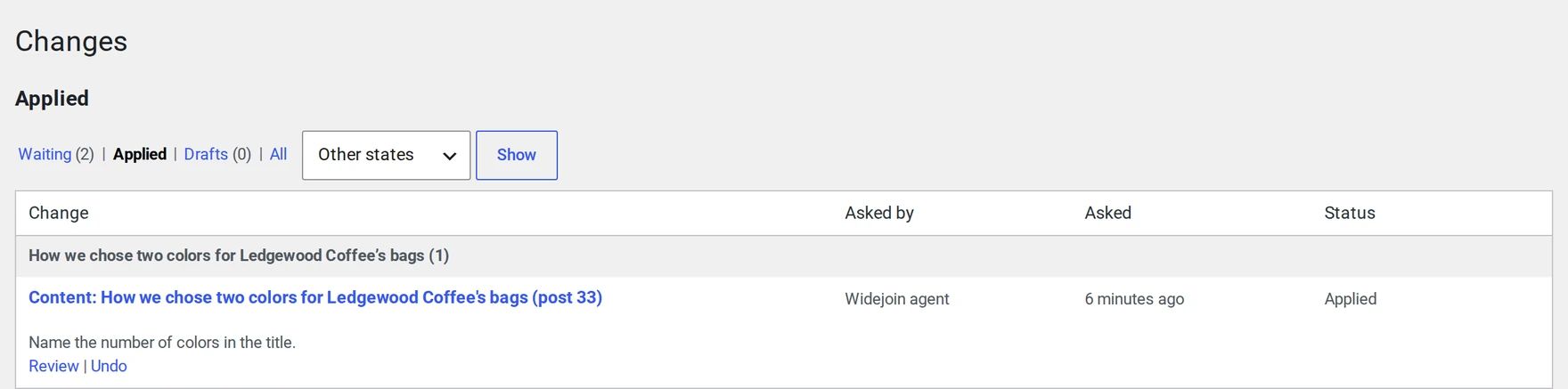
history_urlthe agent was given (admin.php?page=widejoin&change= and the change id), or open the Applied view on the Changes screen and open the change. The Undo link on its row opens the same page; nothing is undone from the list.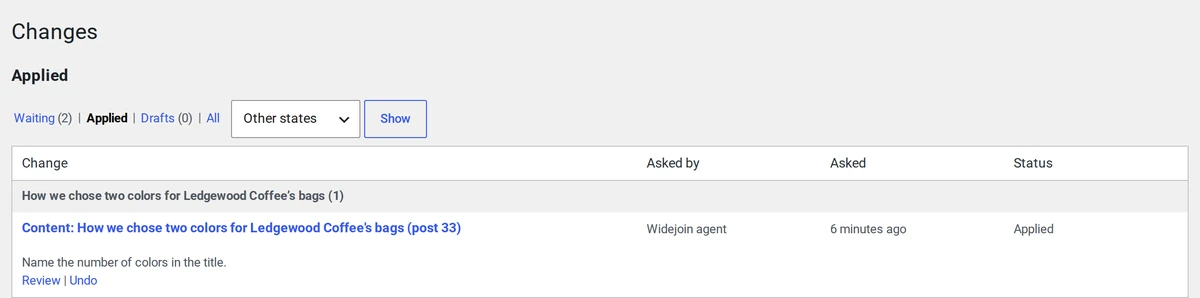
The Applied view. Undo opens the change page. Choose Undo this change. Widejoin checks that nothing has changed the same fields since.
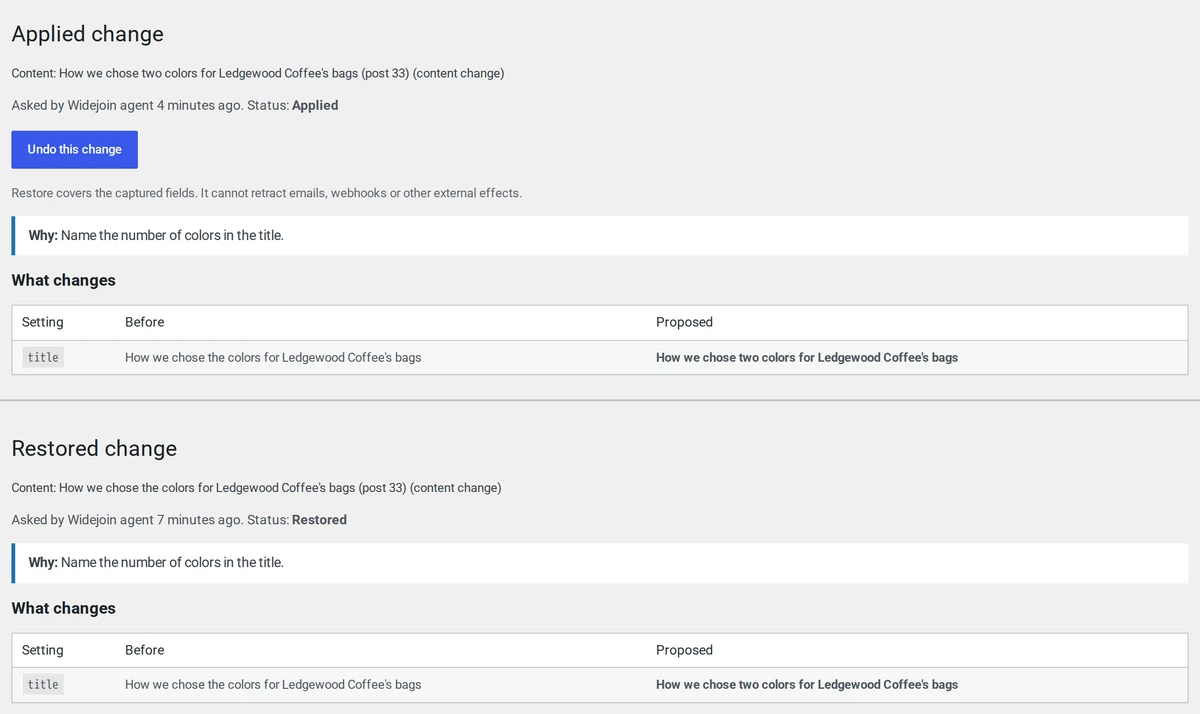
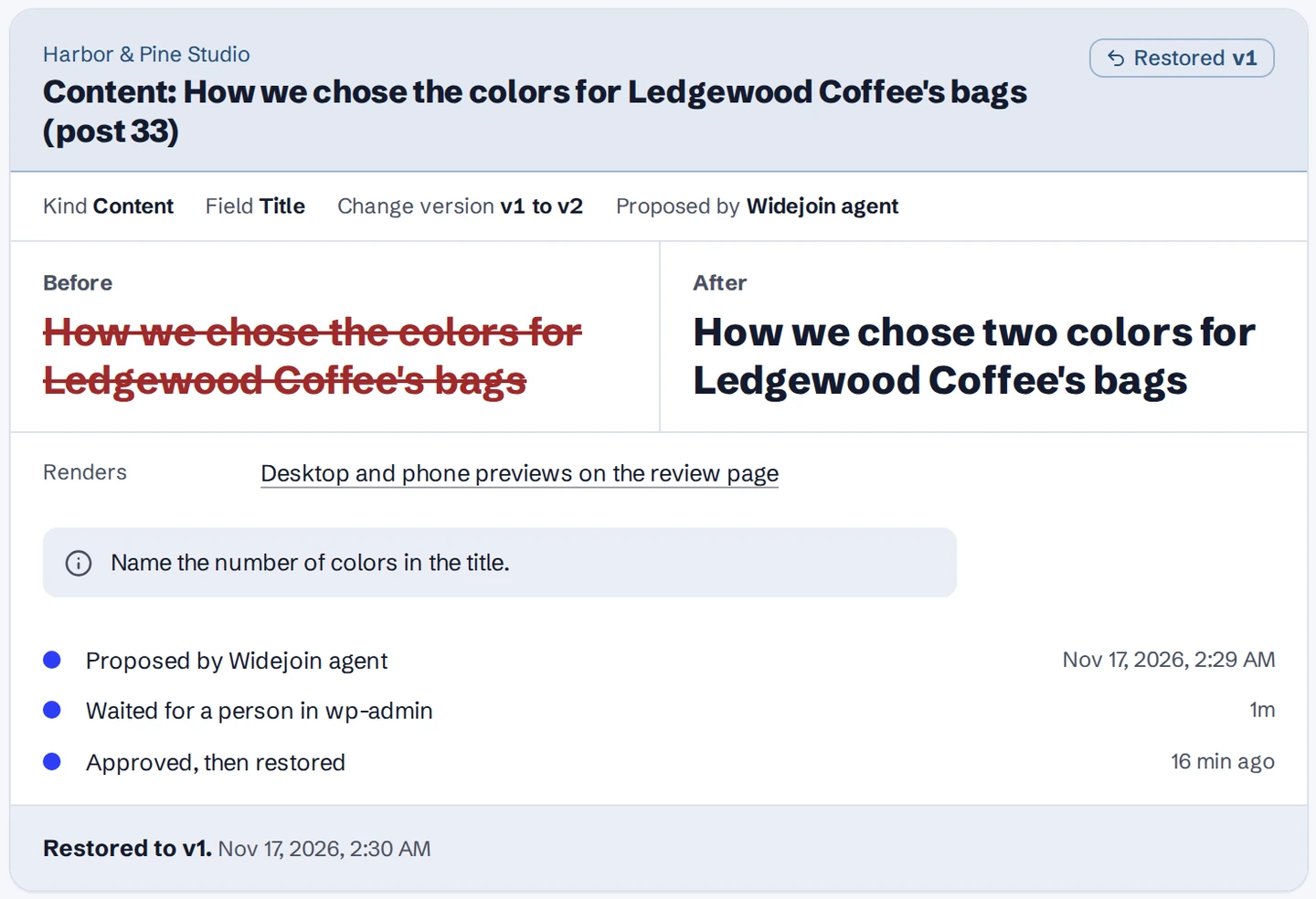
Confirm the result. The page is now headed "Restored change" and shows "Status: Restored", and the page is back to its recorded state.
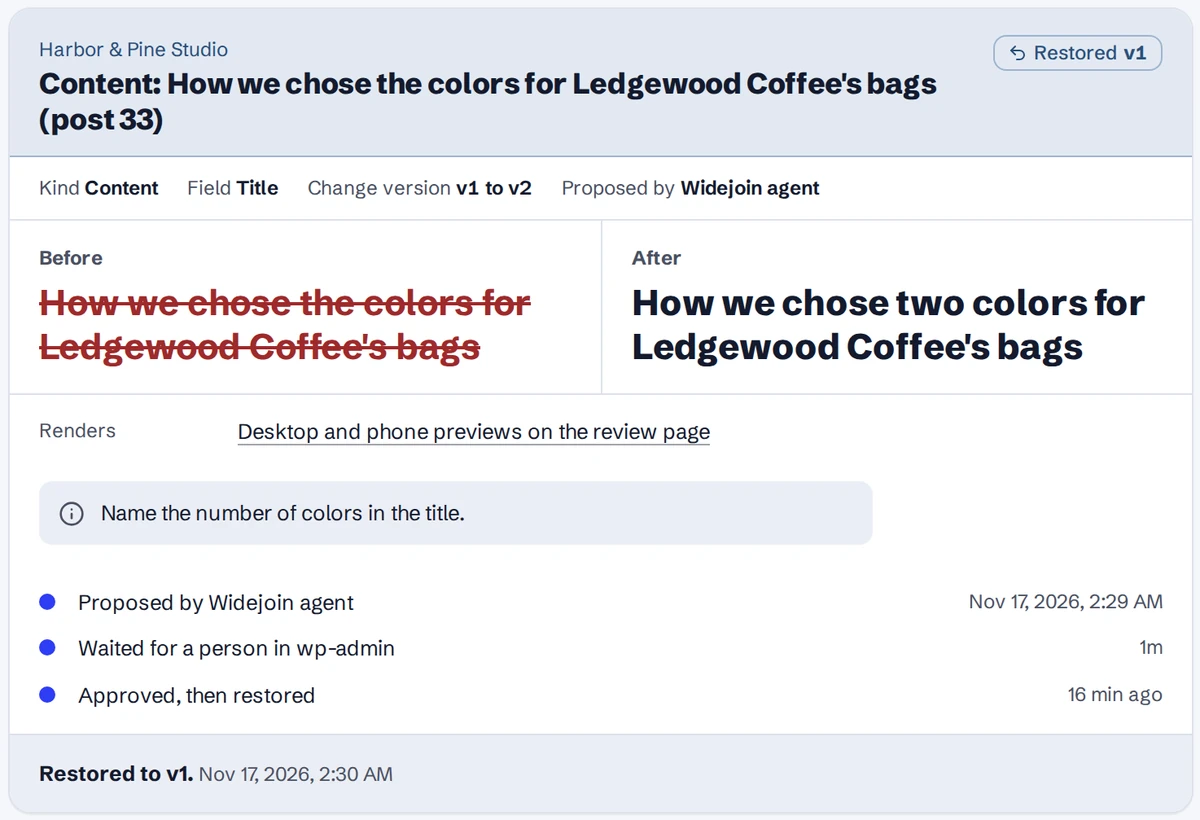
The console lists the same change under History as Restored v1.
What does restore put back?
The exact before state Widejoin recorded when the change applied: the fields, settings and rows that change touched. A restored layout returns the same fingerprint it had before, so you can check that it really matches.
It works across the seven page builders (Elementor, Bricks, Beaver Builder, Divi, WPBakery, Avada and SeedProd) and on WooCommerce prices, sales and stock. On our lab it also worked after publication: Divi and Bricks layouts restored to their original fingerprint after the page was published.
Undoing a change is free on every plan. Some changes named on this page are made by Pro tools: layout writes in Bricks, Beaver Builder, Divi, WPBakery, Avada and SeedProd, core updates, plugin database upgrades and bulk replacements. Widejoin pricing lists what is free and what is Pro.
When is restore refused?
When someone changed one of the same recorded fields after the change applied. Restoring would overwrite their edit, so restore-change refuses with not_restorable and says why, and change-status gives the same reason in restore_reason. Other edits to the same post, such as publishing it, do not block a restore.

Three more cases. An undo is refused while another undo of the same change is already pending. An update plan is restored only by a person at its review_url. And some kinds that read their state through their own record are restored only at the change's page in wp-admin; for those, the undo in the answer is a review_url instead of a tool call.
What can Widejoin not restore?
- Emails, webhooks and other effects outside the site. A restore cannot call back a sent email or a webhook that already fired.
- WordPress core updates. WordPress cannot move itself back to an older version, so restore is refused with a pointer to the recovery steps the update preflight printed. Plugin updates keep a saved copy instead; undoing a plugin update covers that copy and its limits.
- Plugin database upgrades. A database upgrade cannot be undone; restore the site from a backup to go back.
- What a theme draft's PHP did while it was active. Restore switches back to the previous theme, but options, tables or files that PHP changed stay as they are.
- Abilities from other plugins. Running another plugin's ability always waits for a person, even in Direct, because Widejoin runs it but cannot undo it.
- Changes older than 30 days. Change snapshots are kept for 30 days when WP-Cron runs.
Restore covers the fields a change captured, not the whole site. Keep a recent backup of every site, and we tell you before running anything that cannot be restored.
Can I go back further than one change?
For posts and pages, yes. Widejoin can restore the title, content and excerpt of a saved WordPress revision. That restore follows the site's mode like any other change: it applies at once in Direct and waits for approval in Review first. Status, date and terms are kept.
What about bulk text replacements?
A bulk replacement is one change, so restore returns every item it touched exactly, in one step.
What did we fix while testing restore?
Rendering an Elementor page makes Elementor write its own usage index and a migration stamp. At first that made every restore on our lab report a conflict, because the page looked edited. We now ignore those two values, and restore works.
Next: Review first and the review inbox and how a change works.
Questions
Can every change be undone?
No. Applied content changes can be restored, but core updates, plugin database upgrades, other plugins' abilities and anything sent outside the site cannot, and snapshots are kept for 30 days.
Does undo need a person?
Not in Direct. There the agent's restore-change call applies the undo at once. In Review first, or when the agent asks for review, the undo waits in wp-admin.
Can I restore a change after the page was published?
Yes, as long as nobody changed the same recorded fields since.
Does restore replace a backup?
No. Restore puts back the fields recorded for one change. Keep a full backup of every site.
Why was my restore refused?
Someone changed one of the same recorded fields after the change applied, and restoring would overwrite their edit. An undo of the same change that is already pending also blocks a second one.
Point your agent at a client site today.
14 days of Pro on up to 10 sites. No card. Connect your client and ask for a page in the builder you already use.